🎉 Up to 70% Off Selected ItemsShop Sale
HomeStore

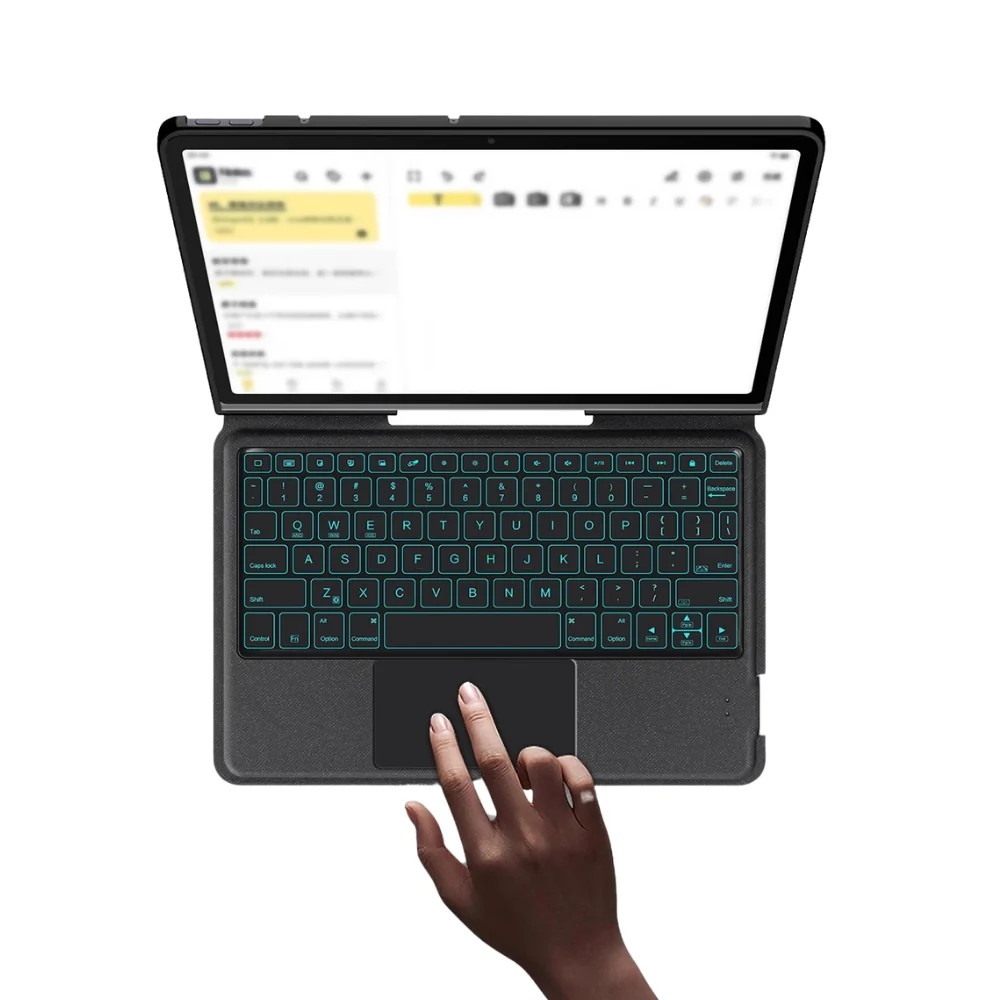
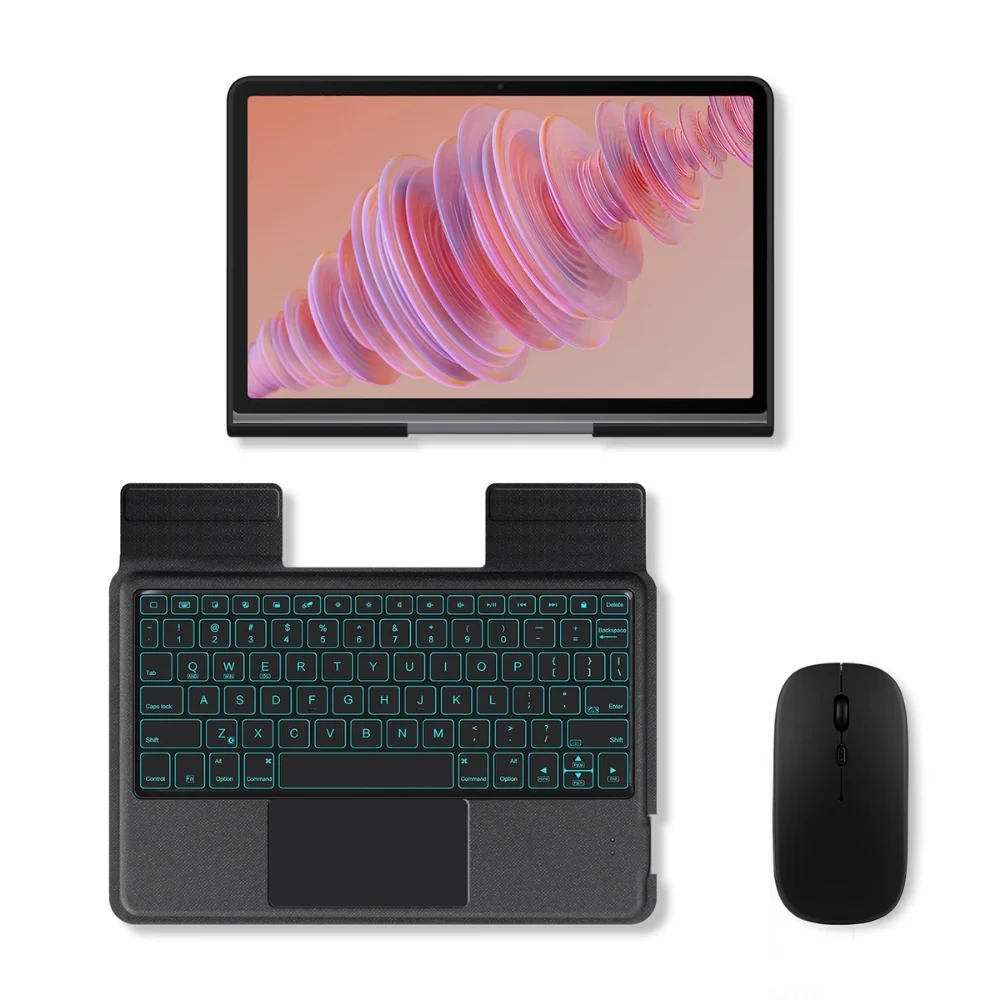
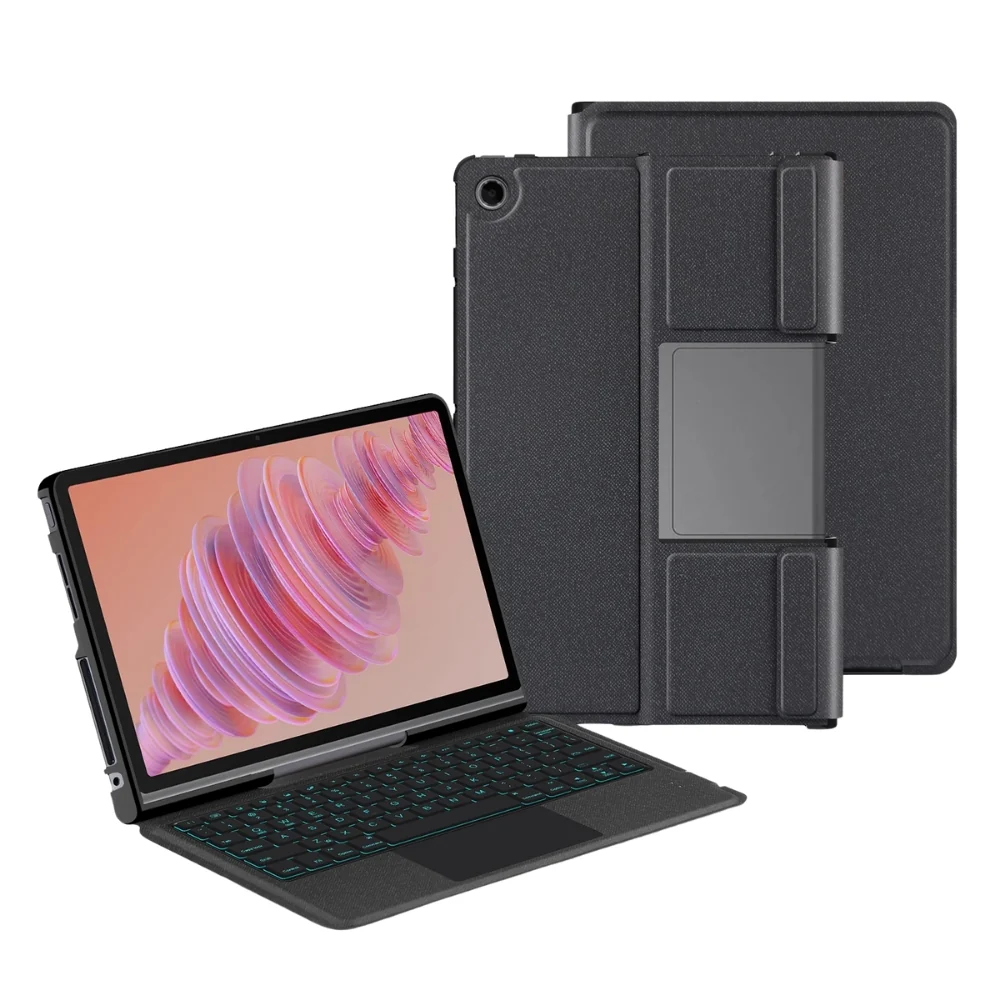
Lenovo Tab Plus 11.5" 2024 (TB-351FU) - Black Detachable Magnetic Bluetooth Keyboard Case With Backlight and Touchpad

Product image 1
Product image 2
Product image 3
Product image 4
Product image 5
Product image 6
Product image 7
Product image 8
Product image 9
Product image 10

Lenovo Tab Plus 11.5" 2024 (TB-351FU) - Black Detachable Magnetic Bluetooth Keyboard Case With Backlight and Touchpad

Keyboard Layout: US

Compatible with:

Lenovo Tab Plus 11.5" 2024 (TB-351FU)
Features:

  • The keyboard is equipped with a touchpad and backlight
  • Thoughtful handrest, providing comfort without tiring your hands
  • Split design for more convenient usage
  • Fast charging and long battery life

First Time Use Pairing Steps:

  • Turn on the power switch.
  • Press the "connect" button to enter the pairing mode.
  • On your tablet, open the Bluetooth settings and click on the option to pair with the device.
  • To switch the input method, use the "shift" key. For operations like selecting all, copying, and pasting, use the combinations "control + A/C/V".
  • Press "fn + C" to activate the function keys.
  • If you want to connect a mouse:
    • Take out the mouse receiver.
    • Insert the receiver into the adapter.
    • Insert the adapter into the tablet

Description:

The keyboard's thoughtful handrest, touchpad, and backlight offer unparalleled comfort and convenience. Its split design allows for easy usage, while fast charging and long battery life make it a practical choice

Select Type
From $36.75

Original: $105.00

-65%
Lenovo Tab Plus 11.5" 2024 (TB-351FU) - Black Detachable Magnetic Bluetooth Keyboard Case With Backlight and Touchpad

$105.00

$36.75

Product Information

Shipping & Returns

Description

Keyboard Layout: US

Compatible with:

Lenovo Tab Plus 11.5" 2024 (TB-351FU)

Features:

  • The keyboard is equipped with a touchpad and backlight
  • Thoughtful handrest, providing comfort without tiring your hands
  • Split design for more convenient usage
  • Fast charging and long battery life

First Time Use Pairing Steps:

  • Turn on the power switch.
  • Press the "connect" button to enter the pairing mode.
  • On your tablet, open the Bluetooth settings and click on the option to pair with the device.
  • To switch the input method, use the "shift" key. For operations like selecting all, copying, and pasting, use the combinations "control + A/C/V".
  • Press "fn + C" to activate the function keys.
  • If you want to connect a mouse:
    • Take out the mouse receiver.
    • Insert the receiver into the adapter.
    • Insert the adapter into the tablet

Description:

The keyboard's thoughtful handrest, touchpad, and backlight offer unparalleled comfort and convenience. Its split design allows for easy usage, while fast charging and long battery life make it a practical choice

Lenovo Tab Plus 11.5" 2024 (TB-351FU) - Black Detachable Magnetic Bluetooth Keyboard Case With Backlight and Touchpad | I-Station